
A website speed audit is a comprehensive evaluation of your site's loading performance, measuring every factor that affects how fast pages reach real users. The term "performance audit" is the standard industry label, but "speed audit" captures the same process: analyzing load times, Time to First Byte (TTFB), waterfall charts, and third-party script impact to identify what slows your site and what to fix first. Tools like Google PageSpeed Insights, Lighthouse, and WP Rocket are central to this process, alongside Core Web Vitals metrics including LCP, INP, and CLS. Without a structured audit, you are guessing at the cause of performance problems rather than solving them. The result is wasted development time, lost rankings, and visitors who leave before your page finishes loading.
Why websites need speed audits for SEO and rankings
Google uses Core Web Vitals as ranking signals, and audits are the mechanism that tells you whether your site meets the thresholds that matter. The three metrics with defined pass/fail targets are LCP (Largest Contentful Paint) at 2.5 seconds or less, INP (Interaction to Next Paint) below 200 milliseconds, and CLS (Cumulative Layout Shift) below 0.1. Missing any of these thresholds places your site in the "needs improvement" or "poor" category in Google Search Console, which directly affects how your pages compete in search results.
Speed acts as a tiebreaker between pages with similar content quality. When two pages cover the same topic at comparable depth, Core Web Vitals tip the balance toward the faster one. This makes audits a practical SEO tool, not just a technical exercise.

One critical distinction audits reveal is the gap between lab data and field data. Lab tools like Lighthouse run in a controlled environment with fixed network conditions and a single device profile. Field data from the Chrome User Experience Report (CrUX) reflects real user experiences across devices, caching states, and network types. A site can score well in Lighthouse and still underperform in CrUX because real users access it on slower connections or older Android phones. Audits that combine both data sources give you a complete picture.
Key metrics to track in an SEO-focused speed audit:
- LCP: Measures when the largest visible element loads. Slow LCP usually points to unoptimized images, render-blocking CSS, or slow server response.
- INP: Replaced FID in 2024 as the interaction responsiveness metric, capturing the full range of user interactions rather than just the first one.
- CLS: Tracks unexpected layout shifts. Common causes include images without defined dimensions and late-loading fonts.
- TTFB: Time to First Byte reflects server response speed and is often the first bottleneck an audit uncovers.
How site speed directly affects conversions and user experience
Slow load times do not just frustrate users. They eliminate them before your content is even visible. Bounce rates increase by 32% when load time goes from one second to three seconds, and by 90% when it reaches five seconds. That is not a marginal drop in engagement. It is the majority of your paid and organic traffic leaving without a single interaction.
"Performance improvements directly increase conversion rates across industries." — Deloitte, Akamai, and Google research, as summarized by MigrateLab
The relationship between speed and conversions is nonlinear. The biggest gains come from fixing the slowest pages first. Moving a page from eight seconds to four seconds delivers far more conversion lift than moving it from two seconds to one second. Audits identify which pages sit in that high-impact zone, so you can prioritize fixes where they produce the most measurable return.
Mobile users are disproportionately affected. Mobile performance differs significantly from desktop because of CPU constraints, variable network conditions, and smaller memory budgets. A site that loads in 1.8 seconds on a desktop in Chicago may take 4.5 seconds on a mid-range Android phone on a 4G connection in a suburban area. Audits that test only desktop or only ideal network conditions miss the experience of your largest user segment in most markets.
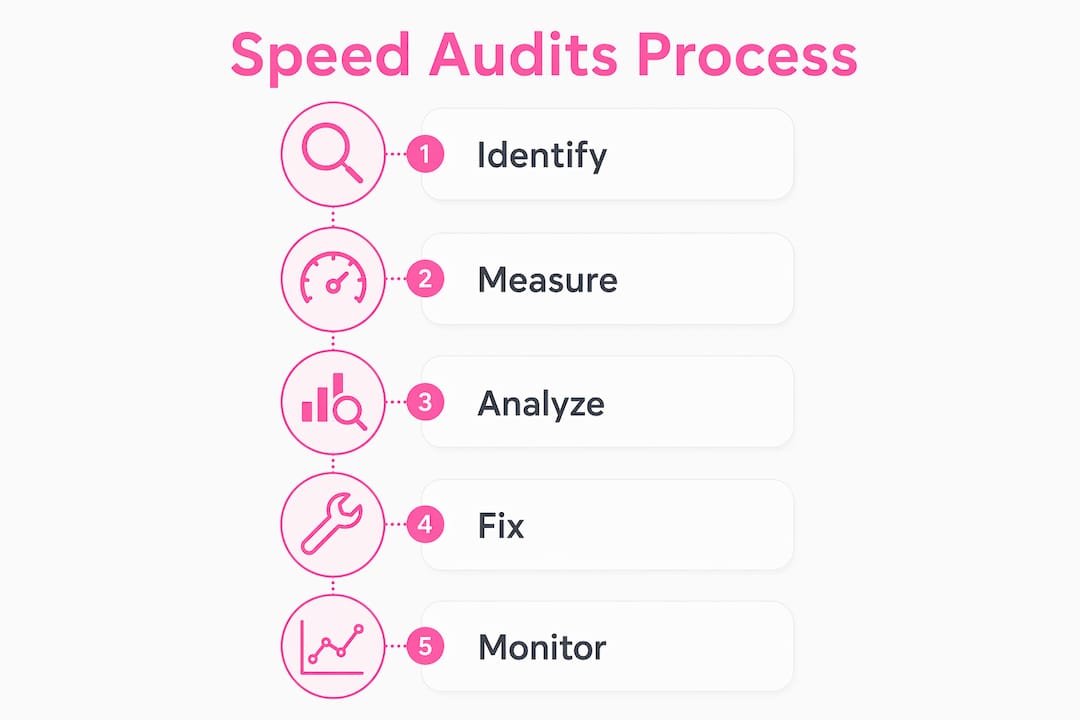
The business case for speed audits extends beyond ecommerce. Content publishers see lower session durations and fewer page views per visit on slow sites. SaaS landing pages see lower trial sign-up rates. Local business sites see fewer phone calls and form submissions. Studies from Deloitte and Akamai consistently find that performance improvements increase conversion rates across all of these categories.
What metrics and tools does a thorough speed audit cover?
A well-structured speed audit draws from both lab tools and real-user monitoring to give you diagnostic precision alongside business-relevant data. Each tool type serves a different purpose, and using only one leaves blind spots.
Lab tools run tests in a controlled environment and produce detailed diagnostic output:
- Google PageSpeed Insights combines Lighthouse lab data with CrUX field data in a single report, making it the most practical starting point for most site owners.
- Lighthouse (built into Chrome DevTools) provides granular recommendations on render-blocking resources, unused JavaScript, image optimization, and more.
- WebPageTest offers advanced configuration including real-device testing, custom network throttling, and multi-step transaction testing.
Field data sources capture what real users actually experience:
- CrUX (Chrome User Experience Report) aggregates Core Web Vitals field data over a 28-day rolling window, meaning audit results reflect a trend rather than a single moment in time.
- Real User Monitoring (RUM) tools like SpeedCurve or Datadog capture performance data from every user session, segmented by device, browser, geography, and connection type.
Waterfall charts are one of the most useful outputs an audit produces. They display every resource the browser requests, in the order it requests them, with timing data for each. Waterfall charts reveal blocking behavior from render-blocking scripts, oversized images, and third-party tags that delay page rendering. A single analytics tag or chat widget loading synchronously can add 800 milliseconds to your LCP without appearing in any headline score.
| Metric | What it measures | Good threshold |
|---|---|---|
| LCP | Time until largest visible element loads | ≤ 2.5 seconds |
| INP | Responsiveness to all user interactions | < 200 ms |
| CLS | Visual stability during load | < 0.1 |
| TTFB | Server response time | < 800 ms |
| FCP | Time until first content appears | ≤ 1.8 seconds |
Geographic and device diversity matters in audit scope. A CDN misconfiguration may cause slow TTFB for users in Southeast Asia while performing fine in North America. Testing from a single location produces a false sense of security. Tools like WebPageTest and Dotcom-Monitor support multi-location performance testing, which is worth using if your audience spans multiple regions.
Pro Tip: Start every audit by identifying pages with poor CrUX field data first. Then use Lighthouse on those specific pages to diagnose root causes. This workflow prevents you from spending hours optimizing pages that are already performing well for real users.
Why continuous monitoring makes speed audits more effective
A single speed audit is a snapshot. Your site's performance changes every time you deploy new code, add a plugin, update a third-party script, or your hosting provider changes infrastructure. Regressions happen silently after deploys and third-party changes, and they often go unnoticed until rankings drop or conversion rates fall.
The lag in SEO visibility makes this especially costly. CrUX field data aggregates over a 28-day rolling window, so a performance regression that happens today may not appear in your Google Search Console Core Web Vitals report for three to four weeks. By then, the damage to rankings and traffic is already accumulating.
A practical monitoring and audit cadence looks like this:
- Continuous synthetic monitoring: Set up automated tests that run every hour or every few hours from tools like Dotcom-Monitor or SpeedCurve. Configure alerts for TTFB or LCP exceeding defined thresholds so you catch regressions within minutes, not weeks.
- Weekly field data review: Check Google Search Console's Core Web Vitals report and your RUM dashboard weekly to spot emerging trends before they become ranking problems.
- Monthly full audit: Run a complete Lighthouse and WebPageTest audit on your highest-traffic pages monthly. Compare results against your baseline to identify new bottlenecks introduced by recent changes.
- Quarterly deep audit: Conduct a full site-wide audit quarterly, covering all page templates, third-party script inventory, hosting performance, and web hosting's effect on SEO. This is also the right time to reassess your CDN configuration and caching strategy.
Pro Tip: Treat your performance budget like a financial budget. Define maximum acceptable values for LCP, INP, and TTFB before each development sprint. Any change that would breach the budget requires a performance review before deployment.
The cost of skipping continuous monitoring is concrete. A new marketing tag added without performance review can silently add 1.2 seconds to your LCP. A plugin update can introduce render-blocking JavaScript. A third-party font service outage can delay FCP by several seconds. None of these show up in a quarterly audit until the business impact is already visible in your analytics.
Key takeaways
Regular speed audits are the only reliable method to identify, prioritize, and fix the performance issues that directly affect your SEO rankings and conversion rates.
| Point | Details |
|---|---|
| Audits combine lab and field data | Use both Lighthouse and CrUX to diagnose real user issues, not just controlled test scores. |
| Core Web Vitals are ranking signals | LCP ≤ 2.5s, INP < 200ms, and CLS < 0.1 are the thresholds Google uses to evaluate page experience. |
| Slow pages lose visitors fast | Bounce rates rise 32% from 1 to 3 seconds load time, directly cutting conversions and revenue. |
| Regressions happen silently | Deploys and third-party changes degrade performance without warning; continuous monitoring catches them early. |
| Mobile testing is non-negotiable | Desktop scores do not reflect mobile user experience; audits must test real devices and network conditions. |
Speed audits in practice: what I've learned from 100+ projects
Working across more than 100 website projects at Verkkosivu, the pattern I see most often is site owners chasing Lighthouse scores instead of fixing what actually affects their users. A 95 in Lighthouse feels like a win. But if your CrUX data shows 40% of real users experiencing LCP above 4 seconds on mobile, that score is misleading you.
The highest-ROI fix in almost every audit is server response time. TTFB above 800 milliseconds delays every other metric downstream. Fixing it through better hosting, a properly configured CDN, or server-side caching produces measurable improvements in LCP, FCP, and ultimately rankings, faster than any front-end optimization. I always start there before touching image compression or JavaScript deferral.
The second mistake I see consistently is treating speed audits as one-time events. A site that passes Core Web Vitals today can fail next month after a single plugin update or a new chat widget. The teams that maintain strong performance are the ones with monitoring in place, not the ones who ran a great audit two years ago.
Speed is one part of technical SEO, not the whole picture. But it is the part with the most direct and measurable connection to both rankings and revenue. Align your audit priorities with your actual traffic patterns. If 70% of your visitors are on mobile, your mobile Core Web Vitals score matters far more than your desktop score. Start there, fix what field data confirms is broken, and monitor continuously.
— Ville
How Verkkosivu builds sites that pass speed audits from day one

Verkkosivu builds custom websites that load in under one second, meeting Core Web Vitals thresholds without requiring post-launch optimization sprints. Every site is built without templates, which means no bloated CSS, no unused JavaScript, and no plugin overhead dragging down your TTFB. If you want to improve your site's loading speed without spending months debugging audit reports, Verkkosivu handles the full process from architecture to deployment. With more than 100 completed projects and a perfect 5-star rating on Google, the team delivers fast, SEO-ready websites that convert. Explore what a performance-first website looks like at Verkkosivu.io.
FAQ
What is a website speed audit?
A website speed audit is a structured analysis of your site's loading performance, covering metrics like LCP, INP, CLS, and TTFB using tools like Google PageSpeed Insights, Lighthouse, and WebPageTest. It identifies specific bottlenecks and produces a prioritized list of fixes rather than just a score.
How often should you run a speed audit?
Run automated synthetic monitoring continuously, review field data weekly, conduct a full Lighthouse audit monthly, and perform a site-wide deep audit quarterly. Sites that deploy code frequently may need more aggressive monitoring cadences.
Does site speed affect Google rankings?
Yes. Google uses Core Web Vitals field data from CrUX as a ranking signal, with LCP, INP, and CLS as the three measured metrics. Speed acts as a tiebreaker between pages with similar content quality, making it a direct SEO factor.
What is the difference between lab data and field data?
Lab data comes from controlled test environments like Lighthouse and reflects a single simulated user. Field data from CrUX captures real user experiences across all devices, network conditions, and geographies. Effective audits use both to diagnose problems accurately.
What causes the biggest drops in site speed?
The most common causes are slow server response time (high TTFB), render-blocking JavaScript and CSS, unoptimized images, and third-party scripts like chat widgets or analytics tags loading synchronously. Waterfall charts in tools like WebPageTest identify these bottlenecks visually.